Cartão do Cidadão meets Ubuntu 24.04
The companion app for the Portuguese ID card is supported on Ubuntu 24.04. It includes a desktop application and an authentication agent ("plugin-autenticacao") that interfaces with web browsers. I verified that the current middleware (July 2026) works correctly on Kubuntu 24.04, including PDF signing and authentication on Portuguese government websites.
The Linux support and the open-source effort deserve praise.
The installation experience, however, could be improved. It is not 100% clear which package should be used with Ubuntu 24.04, which dependencies need to be pre-installed and what are the separate steps to install the authentication plugin. Two years ago I opened an issue requesting clarification. Since the official documentation remains confusing, I decided to help fellow Ubuntu users by documenting the process on my own.
What follows is the long story short.
Install the prerequisites for both the desktop application and the web authentication plugin:
sudo apt install pcscd pcsc-tools default-jre default-jre-headless openjdk-21-jre openjdk-21-jre-headless
sudo apt install flatpak
flatpak remote-add --if-not-exists flathub https://dl.flathub.org/repo/flathub.flatpakrepo
flatpak install org.kde.Platform//5.15-25.08
At the time of writing, the application depends on the KDE 5.15 runtime, which is not installed by default on Ubuntu.
Download the software:
mkdir CC
cd CC
wget https://aplicacoes.autenticacao.gov.pt/apps/pteid-mw-linux.x86_64.flatpak
wget https://aplicacoes.autenticacao.gov.pt/plugin/plugin-autenticacao-gov.deb
Install the software:
flatpak install pteid-mw-linux.x86_64.flatpak
sudo dpkg -i plugin-autenticacao-gov.deb
ln -s /var/lib/flatpak/app/pt.gov.autenticacao/current/active/export/share/applications/pt.gov.autenticacao.desktop ~/Desktop/
After installation you will have:
- a desktop shortcut to launch the main application (a workaround for the application not appearing in the menus)
- a menu entry for the authentication "plugin" which allows access to public websites like Autoridade Tributária, Segurança Social, etc.
Use the software:
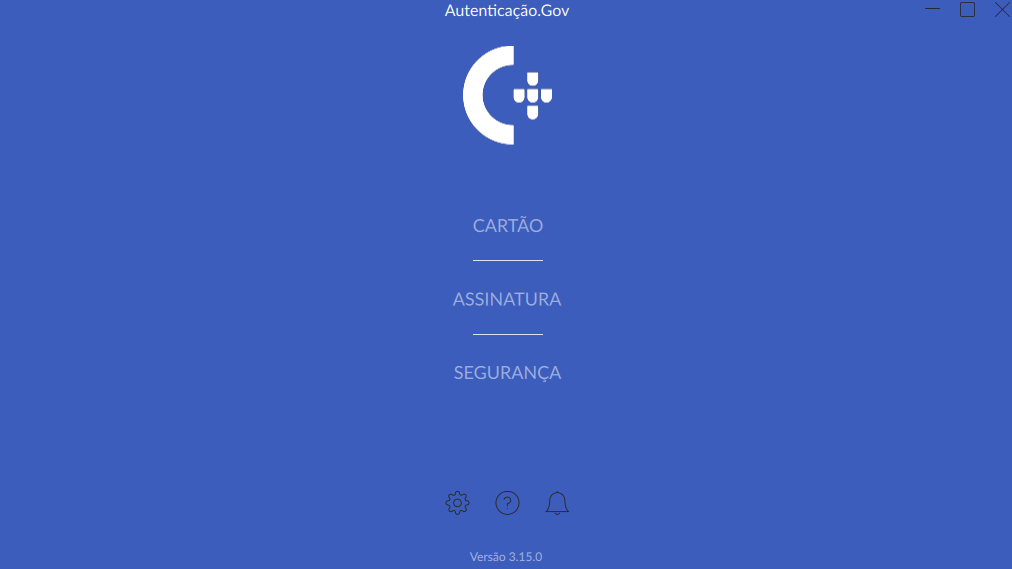
If you need to sign PDFs use the shortcut to launch the desktop application. Alternatively, you can launch it from a terminal with:
flatpak run pt.gov.autenticacao
Something like this will appear:
If you need to authenticate on public websites launch the authentication plugin. It can be found in the applications menu by typing "plugin".
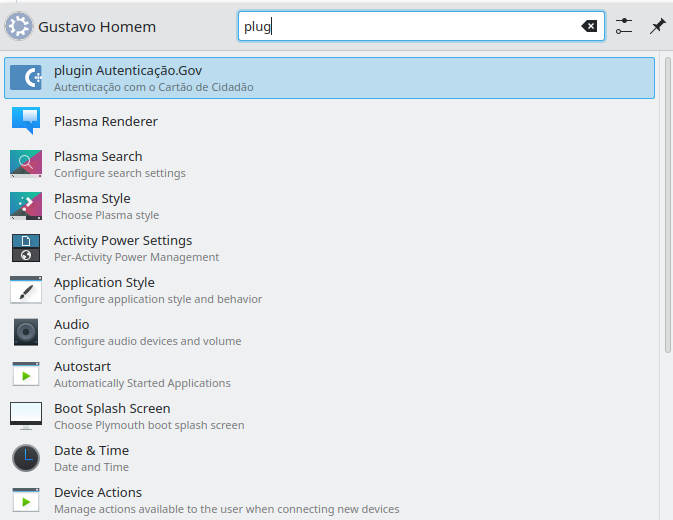
Once launched, it will be visible in the system tray - the user can make it exit via right click.
That's it. I hope these instructions provide a better user experience for Ubuntu/Kubuntu 24.04 users.
Troubleshooting:
If you have problems reading the card you can use the pcsc_scan command and review the system logs. Making card readers work is outside the scope of this post but ensuring USB cables / hubs are working well and cleaning the card contact surface with a dry cloth will reduce lots of testing noise. While running pcsc_scan please make sure that both the desktop application and the authentication plugin are closed.
References: